GST & Billing
How to Create a GST Invoice in India: Step-by-Step Guide for Businesses
Learn how to create a GST invoice in India, what details it should contain, how CGST, SGST and IGST work, and how billing software like ZyBill can simplify the process.
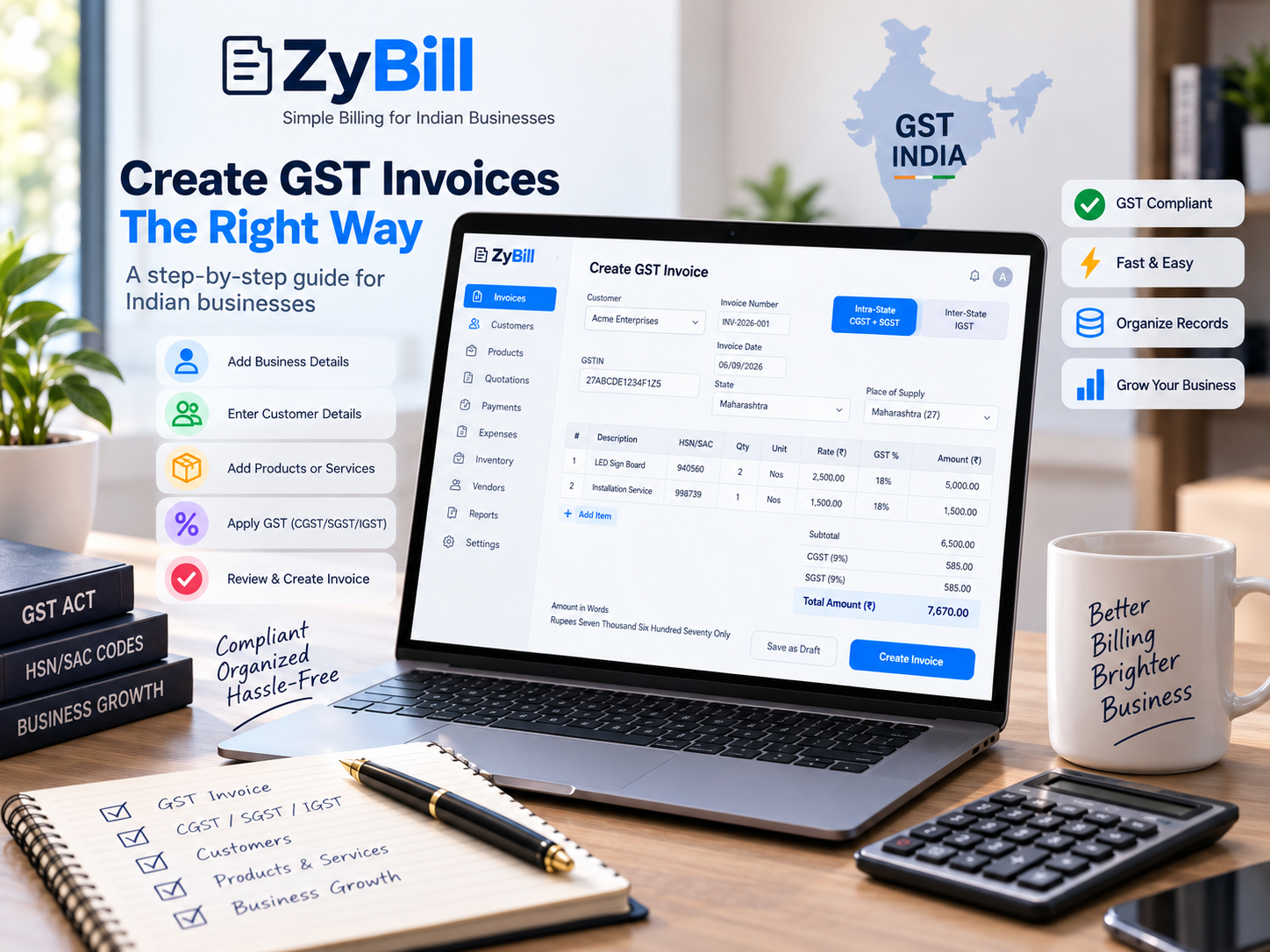
Creating a GST Invoice Shouldn't Be Complicated
For GST-registered businesses in India, invoices are an important part of everyday operations. A properly prepared GST invoice records the transaction, provides relevant tax information and helps maintain organized business records.
Whether you sell products or provide services, understanding how to create a GST invoice can make your billing process smoother.
Here is a simple step-by-step guide.
1. Add Your Business Details
Start with the details of the business issuing the invoice.
Typically, this includes:
Legal or business name
Business address
GSTIN
State and state code
Contact information
Keeping these details saved in your billing software means you don't need to enter them every time you create an invoice.
2. Enter the Invoice Number and Date
Every invoice should have a unique invoice number.
Businesses commonly follow a consistent numbering sequence throughout the financial year. A structured numbering system makes invoices easier to identify, search and manage.
You should also clearly mention the invoice date.
ZyBill supports financial-year-based document numbering to help businesses keep their billing records organized.
3. Add Customer Details
Next, enter the details of the customer receiving the goods or services.
Depending on the transaction, these may include:
Customer name
Billing address
GSTIN, when applicable
State
State code
Saving customers in ZyBill makes repeat billing faster because their information can be reused when creating future invoices.
4. Add Products or Services
Now add the items being billed.
For each product or service, you may need information such as:
Description
HSN or SAC code
Quantity
Unit
Rate
GST rate
Taxable value
Maintaining a product and service catalogue can significantly reduce repetitive data entry.
5. Determine CGST + SGST or IGST
One important part of GST billing is determining the appropriate tax treatment.
For a typical intra-state taxable supply, GST is generally divided into:
CGST + SGST
For a typical inter-state taxable supply, the applicable tax is generally:
IGST
For example, if the relevant GST rate is 18%, an intra-state transaction may generally involve 9% CGST and 9% SGST, while an inter-state transaction may generally involve 18% IGST.
The actual tax treatment depends on applicable GST rules, including place-of-supply provisions, so businesses should verify the treatment relevant to their transaction.
ZyBill can calculate the CGST/SGST or IGST split based on the transaction information entered into the system.
6. Review Invoice Totals
Before finalizing an invoice, review the amounts carefully.
This may include:
Taxable amount
CGST
SGST
IGST
Adjustments or rounding, where applicable
Final invoice amount
A clear summary helps both the business and customer understand the transaction.
7. Review Before Finalizing
Before issuing the invoice, check important information such as:
Customer details
GSTIN
Invoice number and date
HSN/SAC information
Quantity and rates
GST rate
Place-of-supply information
Tax amounts
Final total
A quick review can prevent avoidable billing errors.
Why Use GST Billing Software?
Creating invoices manually may work when transaction volumes are very small, but it becomes harder to manage as a business grows.
Billing software can help organize:
Customers
Products and services
GST invoices
Quotations
Payments
Outstanding amounts
Expenses
Inventory
Vendors and purchases
Credit and debit notes
Proforma invoices
Delivery challans
Business reports
Instead of maintaining information across multiple spreadsheets and files, businesses can keep important billing records together.
How ZyBill Makes GST Billing Simpler
ZyBill is designed for Indian businesses that want powerful billing capabilities without a complicated workflow.
With ZyBill, you can create invoices using saved customers and products, manage GST information, track payments and outstanding amounts, and maintain other important business documents from one workspace.
The goal is simple: spend less time managing billing and more time running your business.
Start Creating GST Invoices with ZyBill
Good billing software should make everyday business operations easier.
Create your ZyBill account and experience a cleaner, faster way to manage GST billing and business records.
Start using ZyBill today at zybill.in
Note: GST laws, invoicing requirements and tax treatment may change and can vary by transaction. This article is general information and is not tax or legal advice. Consult a qualified tax professional for requirements applicable to your business.